Hi,
I am unsure which seismic analysis workflow is appropriate for my building model.
The structure consists entirely of a frame system (beams and columns), without any shear walls or cores, and the design is according to Eurocode 8. My objectives are to:
-
Check inter-storey drifts, second-order effects, and overall seismic response.
-
Perform the required ULS design checks. Where I wish to apply capacity design principles so that plastic hinges are formed in the beams rather than in the columns (i.e. enforce the strong-column/weak-beam requirement through the reinforcement design).
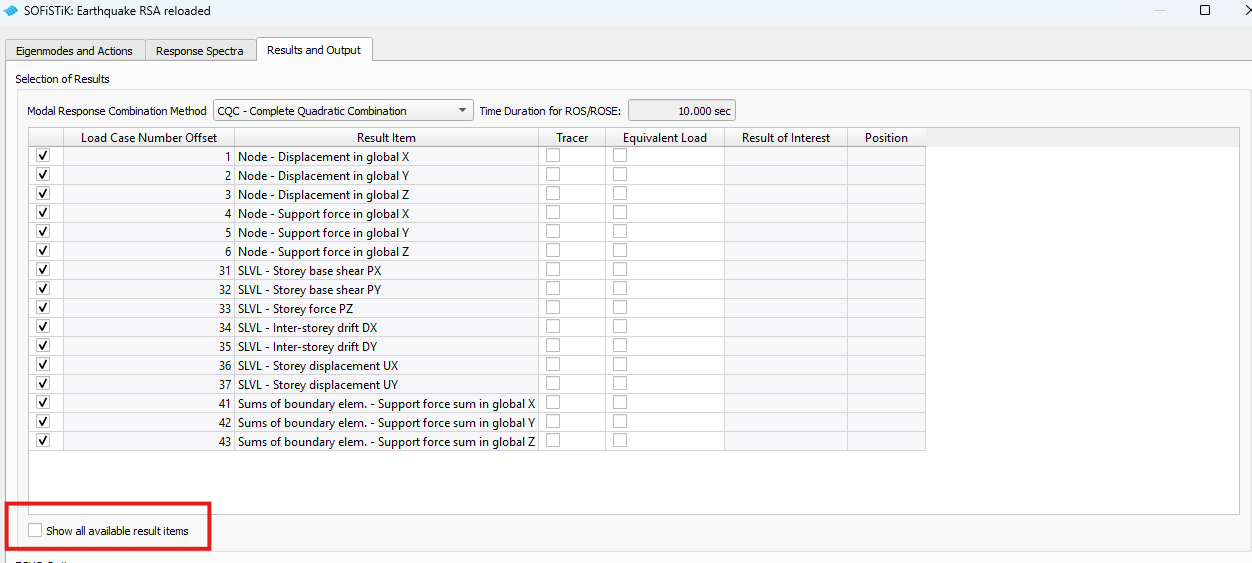
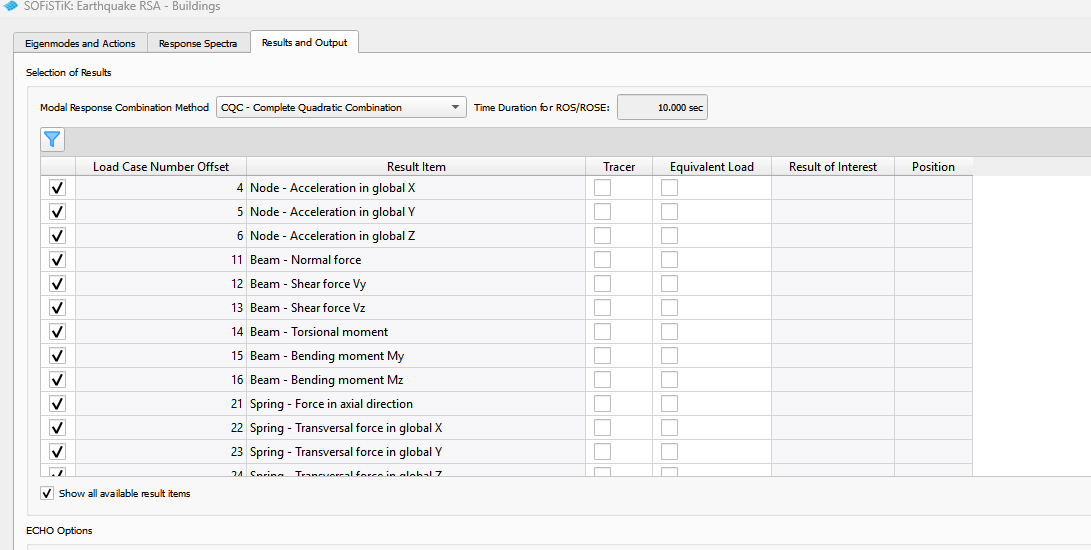
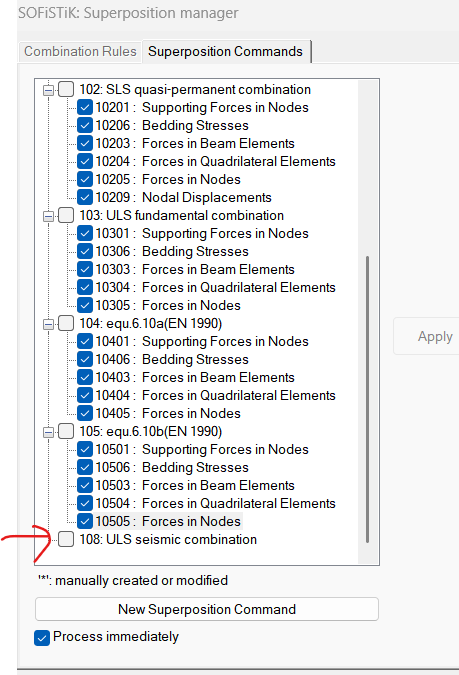
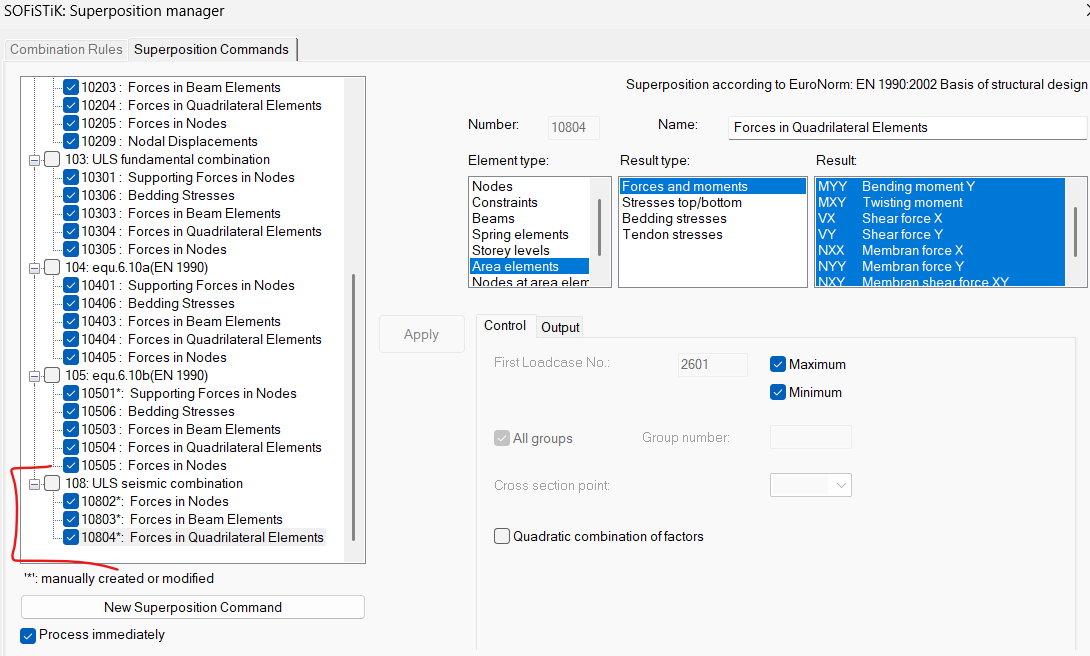
When I use the Earthquake RSA – Buildings task, I can perform the storey checks, but I cannot obtain the internal forces. In addition, the seismic load cases generated by this task do not appear in the load combinations or in the ULS design.
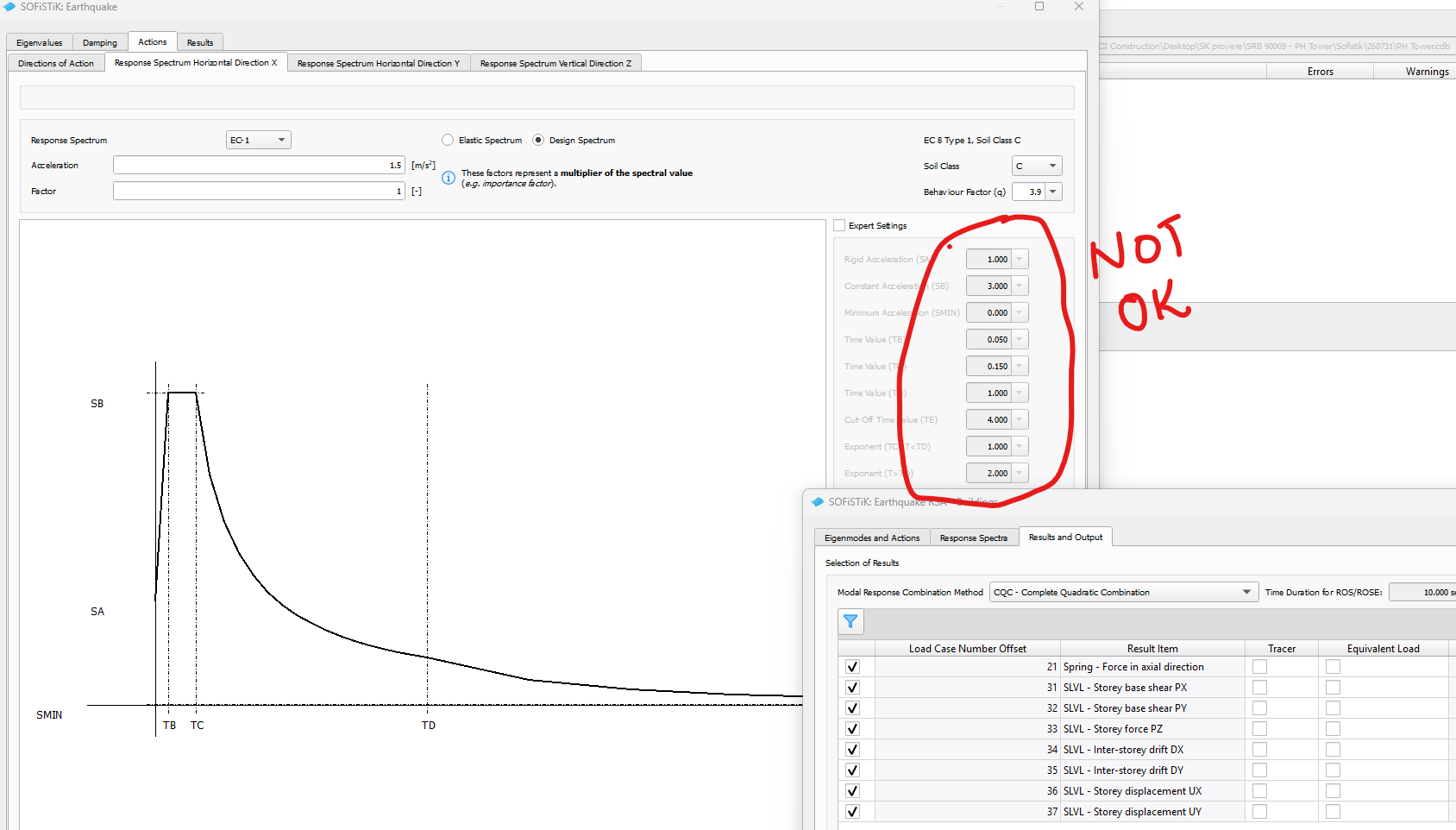
When I use the Earthquake task instead, the internal forces are available, and the seismic load cases appear in the load combinations. However, for ULS checks seismic combinations are not available and the seismic response differs from the one obtained with the Earthquake RSA – Buildings task. I suspect this may be because I cannot assign the reduced bending and shear stiffness within the Earthquake task. Additionally, the EN Type 1 response spectrum does not seem to generate correctly for this option, unless I am missing a setting. At the moment, I have to enter the spectrum values manually. Could you please clarify whether this is expected behaviour or if I am using the task incorrectly?
The available output options for the RSA task as well as incorrect spectral curve when using Earthquake task are shown on figure below:
Could you please advise regarding the work flow, as the tutorial Reinforced Concrete Building - Seismic Analysis (SOFiPLUS Workflow) - SOFiSTiK Tutorials 2024 actually provides results for internal forces, while that option is not available in my case.