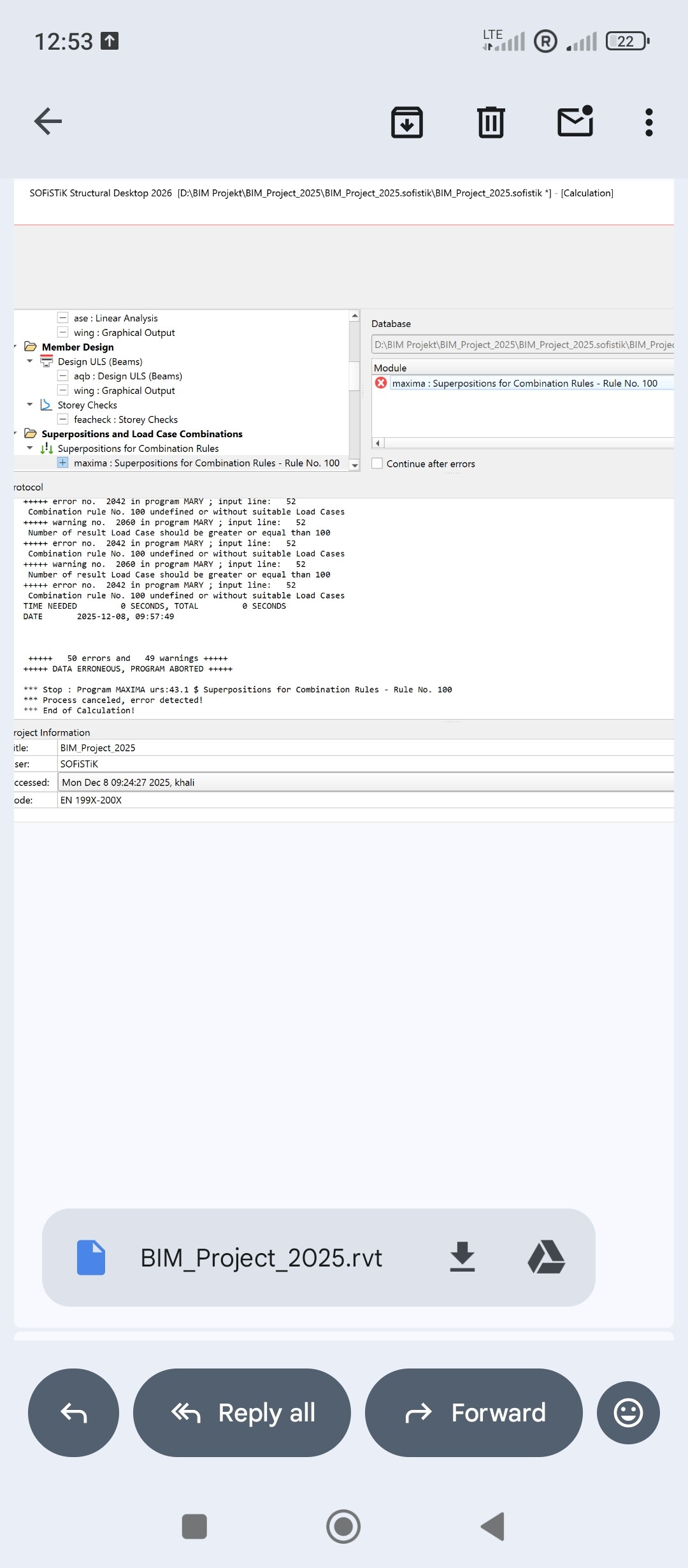
I am using Sofistik 2026 with Revit 2026 (student) version. I defined my load cases, and load combinations under EU and EN 1990-2002 in Revit ( National Annex: DIN 199X). When I tranfer my model to SSD after calculation in Sofisitk, I face two issues: first is regarding superposition of load cases and it shows error in load cases 100. Secondly, there is problem with graphic output during linear analysis.
Hello,
for the definition of the action combinations SOFiSTiK has an own solution according to the EN 1990 and its National Annexes. First it is necessary to define the actions in Analysis + Design (in Revit, mapping from the Revit definitions is possible). The several actions have to get load cases with the corresponding loads.
After transfer to the SSD the default action combinations are available for the selected design code in the task ‘Combination Rules for Actions’. After the calculation of the single load cases the superpositions can be done in the task ‘Superpositions for Combination Rules’.
According to the EN SOFiSTiK calculates for every superposition value at each position of the structure the combined forces, moments and / or deformations. Here the resulting load case combination as well as which variable action is leading or accompanying is determined by the program MAXIMA automatically.
It means in your case live load, wind and snow are the variable actions. The program determines for which superposition values at which position of the structure the resulting factor, either 1.5 for the leading action or 1.5*psi0 (0.9) for the accompanying actions. E.g. for a two-span girder the resulting load case combination is different for the sagging moment max My in the span or of the hogging moment min My at the middle support.
The cause of the error messages indicates missing initial load cases. In addition, the information on the resultant load case numbers (superposition load cases) does not seem to match. The combination rule 100 is a default action combination for the characteristic combination SLS of the EN 1990 + National Annex. Please check the task ‘Combination Rules for Actions’.
With kind regards
Sabine Fahrendholz
Senior Product Manager