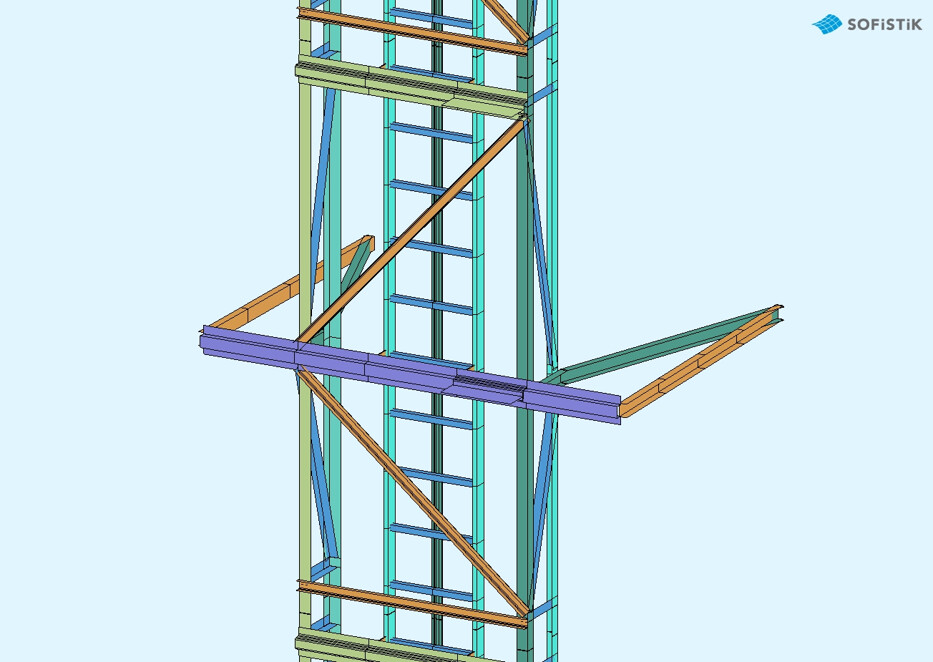
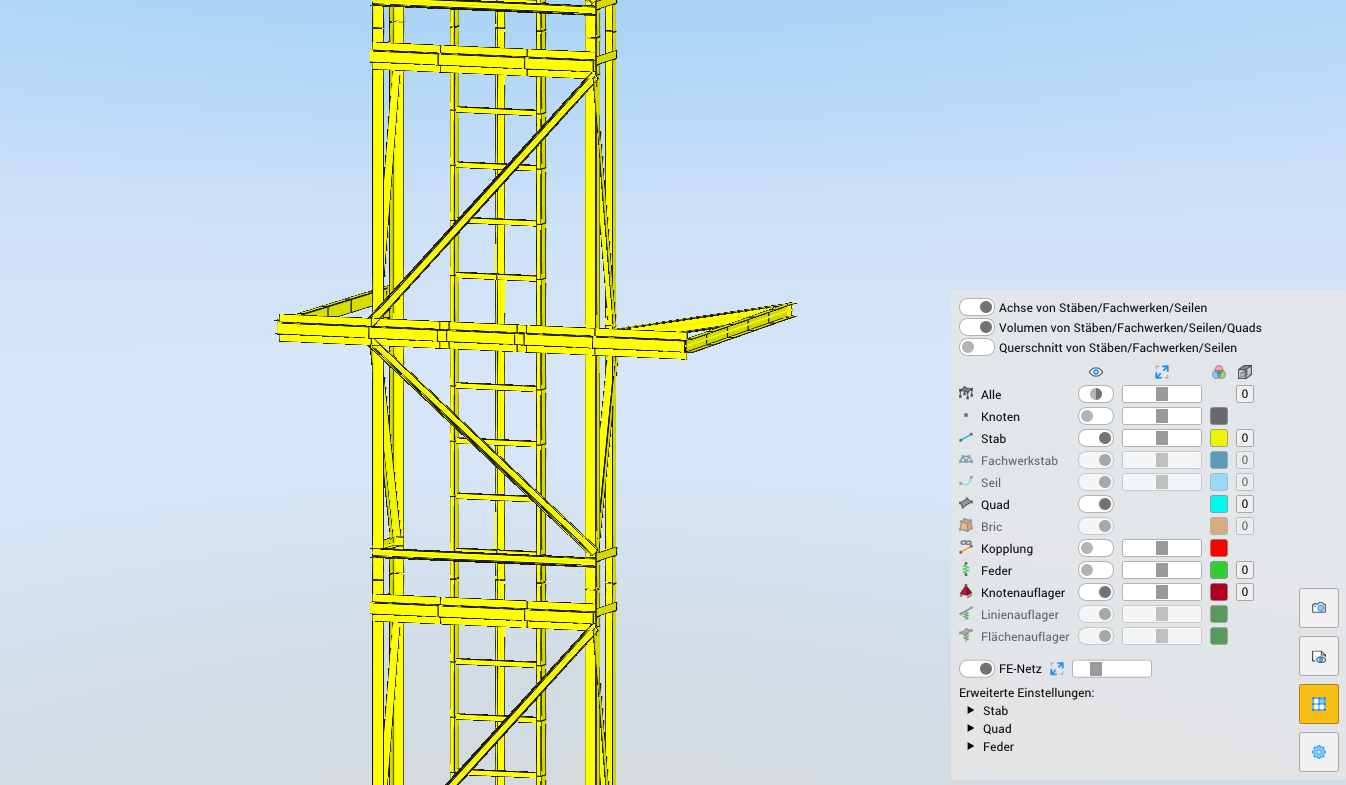
I recently upgraded from Sofistik 2023 to 2026 version and some of the useful options are missing from the GUI. There were options to show the structural elements with different colours according to their groups. This is not possible anymore. All beam elements have a single colour.
For example:
version 2023:
version 2026:
You could also just select an element and see which group they belong to and their element numbers, node numbers and forces in that specific element which is no more possible. Am I missing some settings or is the user interface evolving backwards?
Regards,
Lohit
2 Answers
2
You are mistaking the Viewer with the System Visualization
Dear Lohit,
thank you for your feedback. The new viewer, standard viewer from version 2025 on, is a replacement for the old ANIMATOR and is still under development.
Advantages of the new SOFiSTiK Viewer
The new Viewer offers several improvements over previous versions:
- Higher resolution: The new Viewer supports higher-resolution model displays and screenshots, addressing previous quality issues (available in version 2024).
- Custom color representation: Users can now define custom colors for structural components, though group-based coloring is not yet fully functional.
- Volume representation: In newer versions (e.g., trunk), the model can be displayed as a “volume” during load case simulations, including improved visualization of couplings and their deformations.
- Simultaneous tool usage: In the latest trunk version, the Viewer, Animator, and Result Viewer can be opened simultaneously without conflicts (previously, this caused issues in version 2025 SP1).
- Database update button: A manual refresh button (top-left) ensures the Viewer updates its SQLite-based project database when new data is available, resolving synchronization issues for individual load cases.
- Accessibility: The new Viewer (Labs) is accessible via System Visualization → Viewer (Labs) in version 2023, with the latest version (2024+) available through the SOFiSTiK Application Manager.
Limitations:
- Automated screenshot export (e.g., via TEDDY) is not currently supported; screenshots must be captured manually.
- Warping deformations for beams/quads are not yet included in the new Viewer.
- Some features (e.g., group color customization) are still under development.
Hope this explanation will answer all your questions
Have a nice day.
Thanks, after accessing the system visualizer, all the options are available.
– Lohitsagar