Sofistik 2026-3, Rhino 8 SR27, Excel 2021, Win 10 x64.
The GH and Excel files are from sofistik official tutorial
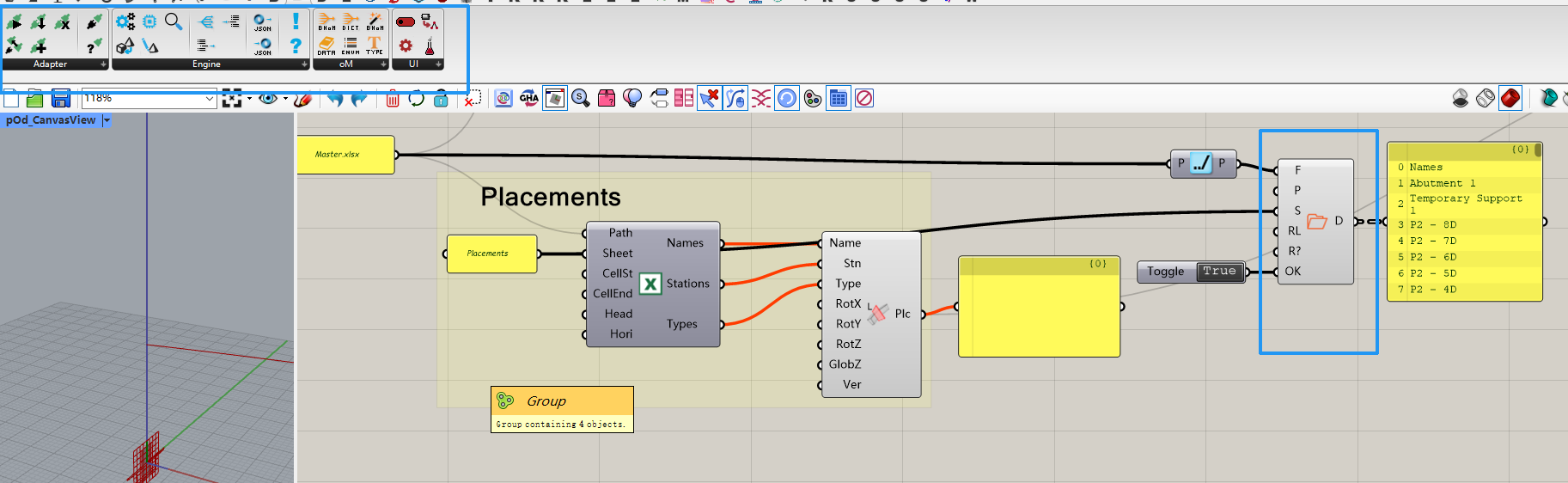
If I had BHOM 9 installed, then Sofistik excel component doesn’t work.
If I use a Excel spreadsheet component called "Pancake Spreadsheet, which is shown in blueframe, the excel can be read successfully.
According to Pancake Spreadsheet
With the help of NPOI, Pancake Spreadsheet can read and write xlsx(x) files without Excel installed. Besides it is faster and more stable. Basic example files are also included.
Hello netsonic,
I tried to reproduce the issue by installing BHoM and Pancake on my end, but the Read Spreadsheet component works fine for me. My suspicion is a DLL loading conflict, but I need a bit more information to confirm.
Before we dig into that, can you first check the basics:
- Does the component work correctly without BHoM installed, and only breaks after installing it? This would confirm BHoM is actually the cause.
- Try recomputing the GH solution (right-click Recompute) or replacing the component with a fresh one from the toolbar.
If the problem persists, please send me the following:
- A screenshot of your Grasshopper Developer Settings window (run GrasshopperDeveloperSettings in the Rhino command line) so I can see which plugins are registered and in what order.
- A list of all Rhino and Grasshopper plugins you have installed.
- Any messages that appear in the Rhino command line when Grasshopper loads.
Thanks,
Dariusz from SOFiSTiK